Clear calls make our workday easier. Whether it's checking in with a client, calling a…

Affordable Office Phone Systems for Small Businesses
Mid-February is often the time when small teams begin getting serious about the year ahead. After the slower weeks of January, work picks up again and office tools come into focus. One of those tools we usually review around now is the phone system.
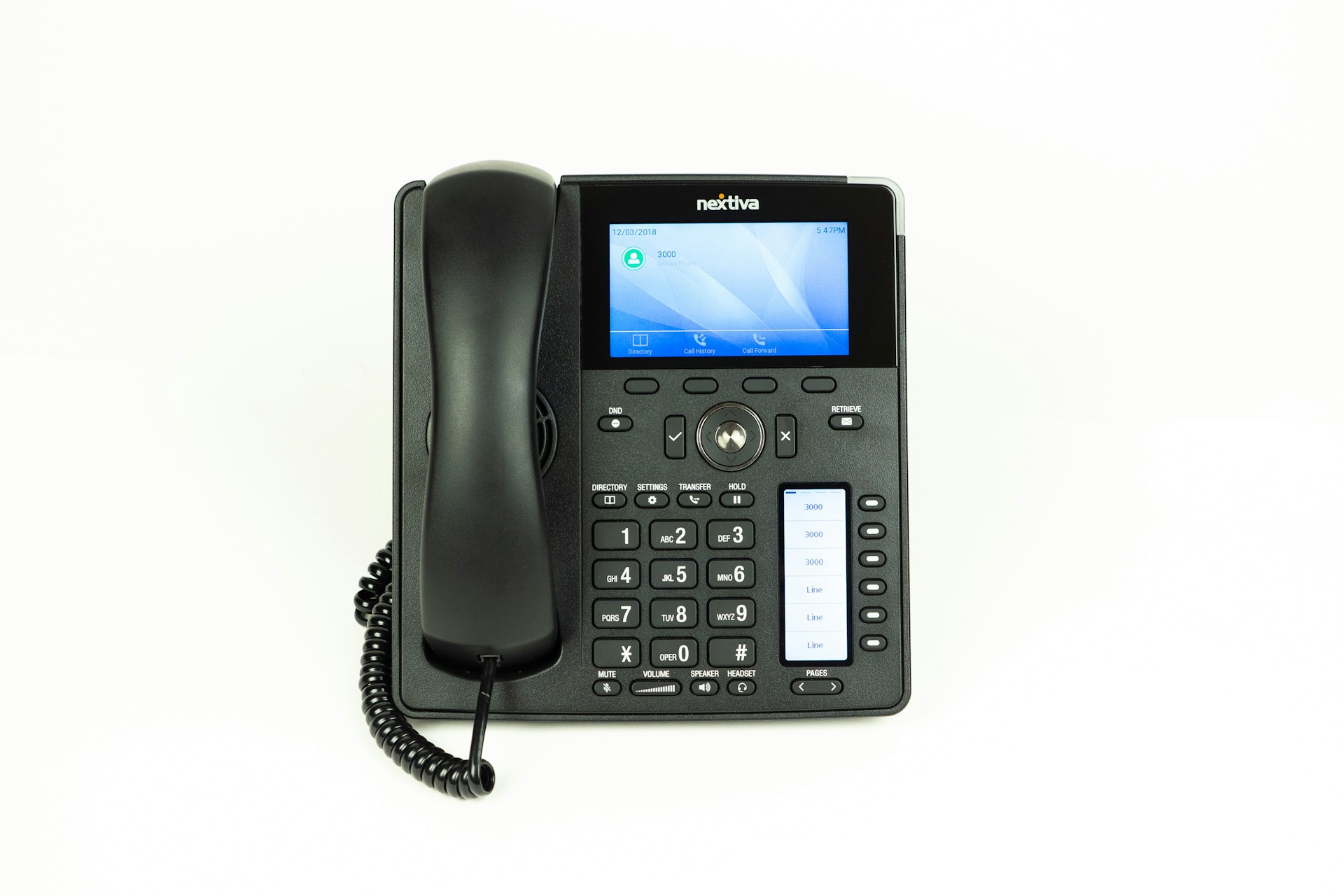
For many small offices, keeping communication simple and steady matters more than adding lots of features. If we are growing, shifting to remote work, or just trying to avoid missed calls, how we handle phone lines can make a big difference. That is why it helps to look at how office phone systems for small business are changing. These days, they are easier to manage and often give us more room to move, without driving up the budget.
What Small Offices Really Need from a Phone System
We have all run into those clunky phone systems that cause more stress than support. Calls go unanswered, voicemail messages pile up, and no one can quite figure out how to transfer a call correctly. It might only waste a minute or two here and there, but over time it slows everything down.
Smaller offices usually do not need anything complex. What we are after is a setup that is clear, quick, and works without needing a tech manual.
- Voicemail that can be checked from mobile or desktop
- Easy call transfers between people, even if they are working remotely
- Phone access that follows us (not stuck to one desk)
Some phone plans look cheap at first but quietly stack on charges for things we need every day. Paying low costs upfront can feel helpful, but we try to look at whether the setup is still working for us six months later. A system that saves time, avoids mistakes, and grows with the business often turns out to be a better deal long term.
NewVo’s small business phone solutions support single office setups and multi-site remote working, making it easier to answer, transfer, or route calls exactly where they need to go. Features like voicemail-to-email and mobile access give flexibility regardless of where staff are located.
Comparing Tech Without Overcomplicating Things
We do not need to become tech experts to figure out what is worth using. But it helps to know what is out there. Traditional desk phones still have a place, especially for those who stay in one location. But newer tools let us use laptops or mobiles to make and take calls, often through one app, wherever we are working.
Here is a quick comparison that helps us weigh the options:
- Traditional phones are steady but can be hard to scale or move.
- Cloud-based systems offer more flexibility but rely on decent internet.
- Hybrid setups give us both, though they might take more planning to get right.
During busy periods, like after summer holidays when bookings restart and clients begin calling again, we notice how much smoother it is when phone tools do not slow us down. Being able to move fast means fewer missed opportunities. That matters more than extra bells and whistles.
Cloud phone options from NewVo keep call quality high for teams in and out of the office with simple, cost-friendly plans and mobile device support, helping employees stay on task without added distractions.
Flexibility that Matches How We Work Now
The shift toward flexible setups has not slowed down. More of us split time between home and office, or check in from different sites throughout the week. That makes old-style phone systems feel clunky.
Phone tools that can run from a laptop app or mobile phone just fit better with today’s way of working. We can answer a call from the warehouse floor, send a message from home, or switch devices midway without needing to restart the conversation.
Along with this, phone systems now often link into other tools we already use, like calendars and email. This saves us bouncing between platforms or guessing who is free when. Everything ties together, making the workflow smoother with less back and forth.
Making the Most of What You’re Paying For
One of the biggest shifts we have seen is how small offices want to pay for systems. Locking into long contracts or paying for features we never use does not make much sense anymore. We look for setups that match the work we do now but give us room to shift things later.
What we check for:
- Clear pricing with no surprise add-ons
- Packages that can grow or scale down without fuss
- Features we will actually use, like voicemail, call-forwarding, or app access
We have also started keeping track of clues that our current system might be costing more than it is helping. Are calls dropping? Do we keep missing important messages? Is someone always stuck sorting out technical issues? If the answer to any of these is yes, it might be time for a change.
Sometimes, teams notice they spend too much time reading manuals or troubleshooting. If staff come back from a holiday and are confused by new steps, or clients mention trouble reaching you, it is often a sign the technology is not a good fit. Collecting this feedback early helps avoid bigger headaches in the future.
Keeping Things Simple and Running Smoothly
Technology is most helpful when it does not get in the way. Once we have got a system that works, keeping it stable is just as important. That can mean making sure updates are done, giving staff quick how-to guides, and reviewing settings when the team grows or changes.
Here is what helps us stay on track:
- Choose tools with clear user options so team members can fix small issues without outside help
- Check whether backup systems or support lines are easy to access
- Do a review after holiday breaks to catch anything that shifted while work was quieter
These small steps early in the year can save big headaches later.
A few extra habits can help here too. Setting a schedule for simple check-ins every few months helps make sure updates and maintenance are not missed. Troubleshooting should never be a mystery, when everyone knows where to quickly find help, it reduces stress for staff and keeps daily routines on track. If you have remote workers or different teams offsite, making sure everyone has the same information and contacts means fewer breakdowns in communication.
Clear instructions or cheat sheets help new hires or less technical team members get up to speed without calling for outside support. Small businesses that stay organized here save dollars and downtime in the long run.
Starting the Year with Smarter Communication
Not every upgrade needs to be big to make an impact. When our phone system just works, quietly, in the background, it gives us more time to focus on serving customers and sorting out real tasks. Missed calls, unclear menus, or clunky setups cause more delays than we realise.
As February continues and the pace picks up, it is a strong time to take a second look at what we are using to talk, book, and manage. If our phones fit how we work now, everything else gets simpler too. That is a small win that sets us up well for the rest of the year.
Taking the time to do a short review now puts us in a much better position for future changes. It means we are less likely to scramble or settle for a quick fix if something suddenly stops working. Confidence in our systems frees us to focus on real work, knowing our communication is reliable and simple.
As the way we work changes in Warners Bay, NSW, our technology should keep pace and support productivity. The right tools should make your day simpler, not more complex. With modern solutions, it is easier than ever to stay connected and collaborate from anywhere. Learn how new office phone systems for small business can make a difference. Connect with NewVo today, and let’s talk about your next steps.

Related Posts